
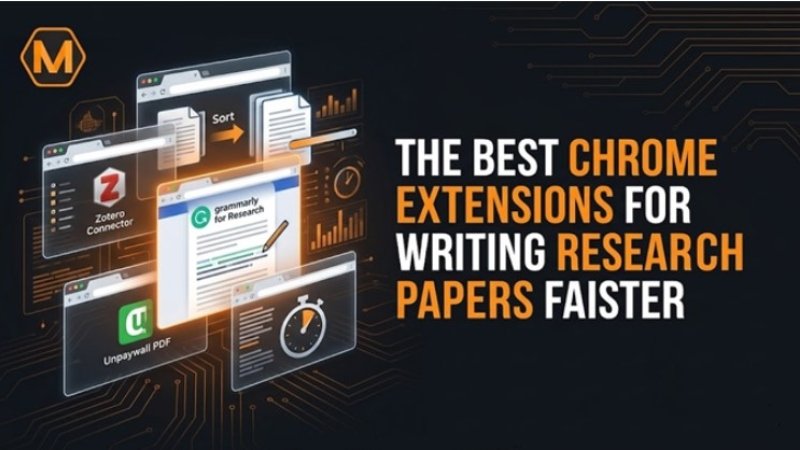
The academic landscape in 2026 has shifted dramatically toward a digital-first approach. For the modern student, the web browser is no longer just a window to the internet; it is a high-powered laboratory where complex data is gathered, analyzed, and transformed into scholarly work. However, with the vast amount of information available, the primary challenge is no longer finding sources—it is overcoming “information overload” and managing the technicalities of formal writing.
To excel, researchers are turning to specialized Chrome Chrome Extensions that act as digital assistants. These tools do more than just save time; they enhance the quality of your output by allowing you to focus on critical thinking rather than manual formatting. By integrating these extensions into your daily workflow, you can bridge the gap between a scattered search and a cohesive, high-scoring paper.
1. The Strategy of Digital Organization
Before diving into the writing process, a researcher must establish a “Digital Second Brain.” This is a system where every piece of data has a specific place. If your browser currently looks like a chaotic mess of fifty open tabs, you are suffering from “tab fatigue,” which significantly drains your cognitive energy.
Managing a large-scale research project requires a strategic approach to time and resources. For instance, when a student is struggling with the structural complexities of a technical project, they often seek project management assignment help from the experts at myassignmenthelp to ensure their tasks stay on a logical timeline. Utilizing this kind of professional support alongside organizational tools like Session Buddy allows you to save entire browser sessions and reopen them with one click, ensuring you never lose your train of thought when switching between subjects.
2. High-Efficiency Source Discovery and Access
The first stage of any research paper is the hunt for credible evidence. In 2026, the most successful students use tools that break down the barriers between them and peer-reviewed data.
- Unpaywall: This extension is a lifesaver for those without expensive institutional subscriptions. It legally searches for open-access versions of paywalled articles. If a free PDF exists on a university server or a preprint archive, a green tab appears, saving you both money and the frustration of hitting a dead end.
- Google Scholar Button: This tool allows you to highlight any text on a webpage and instantly see the top three academic results. It is the fastest way to verify a claim or find the original source of a quote without leaving your current tab.
- Semantic Scholar: Using AI-powered algorithms, this extension provides a “TL;DR” (Too Long; Didn’t Read) summary for millions of papers. It identifies the most influential citations and helps you determine if a paper is worth your time in seconds.
3. Streamlining the Data Synthesis Process
Once you have the sources, the next hurdle is extracting the “golden nuggets” of information. Traditional copy-pasting is slow and often leads to messy, unorganized notes.
Weava Highlighter allows you to highlight text directly on any website or PDF and organize those highlights into color-coded folders. This creates a visual map of your research. Instead of looking through a 20-page document for a specific quote, you can simply open your Weava sidebar and see all your highlights grouped by sub-topic.
Comparison: Traditional vs. Extension-Aided Research
| Research Task | Traditional Method | Extension-Aided (2026) | Time Saved |
| Finding PDFs | Searching multiple library portals | Unpaywall automatic detection | High |
| Citing Sources | Manual typing (APA/MLA/Chicago) | Zotero Connector (1-click) | Very High |
| Summarizing | Reading the entire abstract/intro | Scholarcy AI Summaries | High |
| Tab Management | Bookmarking or leaving tabs open | OneTab list conversion | Medium |
4. Visualizing Your Research Workflow
To truly understand how these tools interact, it helps to look at the “Research Lifecycle.” This diagram represents the flow of a successful assignment from the initial search to the final submission.
[Diagram Suggestion: A circular flowchart showing 5 stages:
- Discovery (Unpaywall/Google Scholar) $\rightarrow$
- Organization (Zotero/Session Buddy) $\rightarrow$
- Synthesis (Weava/Scholarcy) $\rightarrow$
- Drafting (Grammarly/LanguageTool) $\rightarrow$
- Validation (MyAssignmentHelp/Copyleaks)]
Even with the best tools, the final drafting stage can be the most daunting. Many students find that while they have the research, they struggle to articulate their findings into a cohesive narrative. In these moments, it is common to do my assignment online by collaborating with the seasoned writers at myassignmenthelp who can help refine the logic and ensure the paper meets all academic standards. This ensures that the technical effort you put into research is reflected in a polished final grade.
5. Automation of Citations and Academic Integrity
Citations are the “Achilles’ heel” of many students. A single error in a bibliography can be flagged as a lack of attention to detail or, worse, unintentional plagiarism.
- Zotero Connector: This is the undisputed king of reference management. When you are on a journal page, clicking the Zotero icon saves the author, date, and full bibliographic data directly to your computer. It even downloads the PDF automatically if it’s available.
- Cite This For Me: For shorter papers, this extension generates a citation in seconds. It is perfect for citing news articles or websites that don’t have standard metadata.
- LanguageTool: While most people know Grammarly, LanguageTool is an excellent alternative for those writing in multiple languages. It catches subtle style issues and ensures your academic “voice” remains professional and authoritative.
6. Maximizing Focus in a Distracted World
The same browser that gives you access to the world’s knowledge also gives you access to the world’s distractions. Staying focused for three hours of “Deep Work” is a skill in itself.
Forest is a unique extension that gamifies focus. When you want to study, you “plant” a virtual tree. If you visit a blacklisted site (like YouTube or social media), your tree dies. Over time, you build a digital forest that represents your productive hours. For those who need a stricter approach, StayFocusd allows you to set a “Nuclear Option” that blocks the entire internet—except for the specific research sites you need—for a set period.
7. Integrating AI Assistance Ethically
In 2026, AI is everywhere, but using it correctly is key to academic success. Chrome Extensions like PapersFlow or SciSpace Copilot act as “reading buddies.” You can ask them, “What is the primary methodology of this paper?” and they will point you to the specific paragraph. This is not about letting AI write for you; it is about using AI to help you understand difficult concepts faster.
By using these tools, you are not skipping the work; you are removing the “busy work.” This allows your brain to stay fresh for the most important part: the critical analysis that earns the “A” grade.
Conclusion: Building Your Custom Tech Stack
The “best” Chrome Extensions are the ones that fit your specific needs. If you are an engineering student, you might prioritize Unpaywall and Zotero. If you are a social science student, you might find more value in Weava and StayFocusd.
The goal of utilizing these digital tools is to create a seamless environment where your ideas can flourish. Academic success in 2026 is defined by how well you can leverage technology to support your natural intellect.
Frequently Asked Questions
How do browser Chrome Extensions improve the research process?
These tools automate repetitive tasks such as locating open-access articles, organizing digital notes, and managing browser tabs. By reducing manual administrative work, they allow researchers to dedicate more cognitive energy to critical analysis and drafting.
Can these tools help with citation management?
Yes. Many specialized Chrome Extensions automatically extract bibliographic metadata from websites and academic journals. This ensures that references are formatted accurately and consistently according to required style guides without the need for manual entry.
Are there ways to manage distractions while working online?
Focus-oriented Chrome Extensions allow users to temporarily block access to non-essential websites or set timers for deep-work sessions. These tools help maintain concentration by creating a controlled digital environment tailored for academic productivity.
How can I summarize long academic papers more efficiently?
Certain AI-integrated tools can analyze complex documents to provide concise overviews of key findings and methodologies. This helps in quickly determining the relevance of a source before committing to a full reading of the text. For more info to visit Kongo Techs.